
TableTap — QR dine-in ordering for restaurants
Your ordering should be your best server.
We run scan-to-order menus and a live kitchen ticket screen for ambitious restaurants — built around the decisions your floor team actually makes.
02 — Features
Everything a restaurant
actually needs.
Ten small surfaces, stacked with intent — designed around the decisions your floor team makes every day.
Your Own Branded QR Menu
Give every guest a QR code at the table — they scan, browse the menu, and place an order in seconds. No app to download, no account needed.
Truffle Risotto
₹640
Charred Broccoli
₹320
Burnt Basque
₹380
Live Kitchen Display
Every ticket lands in real time — received to preparing to ready in one tap.
Counter Orders, Handled
Add a walk-in table straight into the live order board without disrupting running tickets.
Service Hours & Closed Days
A clear service-hours calendar with visual cues for closed days and holidays, so guests never order when your kitchen is shut.
Multi-Location Ready
Manage every location's menu, staff, and hours from a single dashboard.
Effortless Team Invites
Invite kitchen and counter staff by email, resend or revoke access anytime.
Role-Based Dashboards
Kitchen staff, counter staff, and owners each get a dashboard built for their job — nothing extra, nothing confusing.
Item Add-ons
Sizes, toppings and extras per dish — guests pick options, the bill updates itself.
80mm Thermal Printing
Kitchen tickets and bills print the moment an order lands — preview the exact layout before service.
Offers That Show Up Front
Run flat-off deals shown right at the top of your menu — switch them on or off anytime.
On-Site Ordering Only
Optionally restrict ordering to guests actually inside your restaurant, with a simple map pin and radius.
CSV Import & Export
Move your whole menu in or out as a spreadsheet — categories, prices and tags included.
03 — Product
See every surface,
in one glance.
Three panels, one calm workflow — the guest menu, the live kitchen ticket screen, and the owner view.
01 — Kitchen
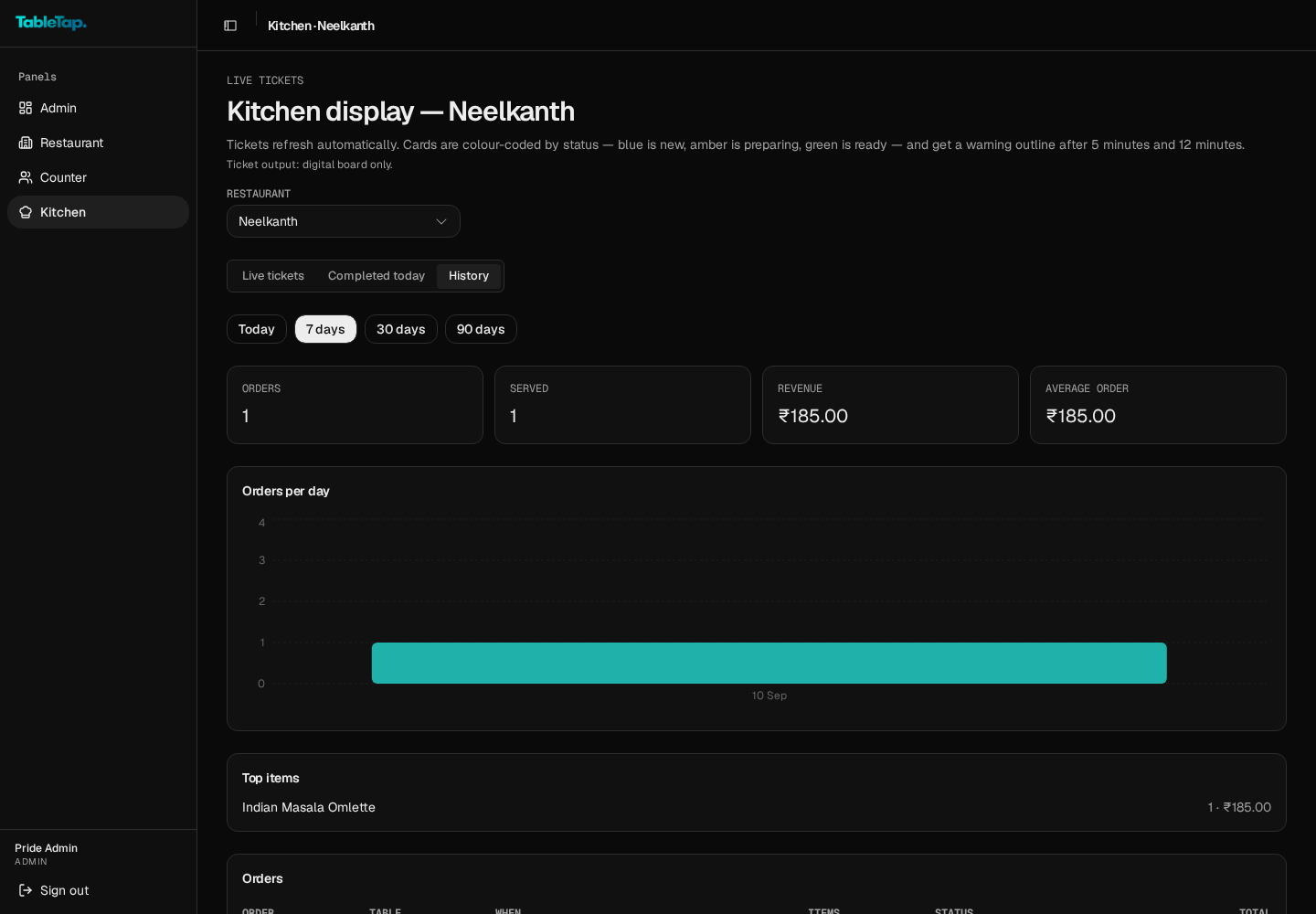
Tickets the kitchen can read at a glance.
Live tickets refresh automatically and colour by age — green under five minutes, amber after five, red after twelve. Print or go fully digital.
02 — Menu builder
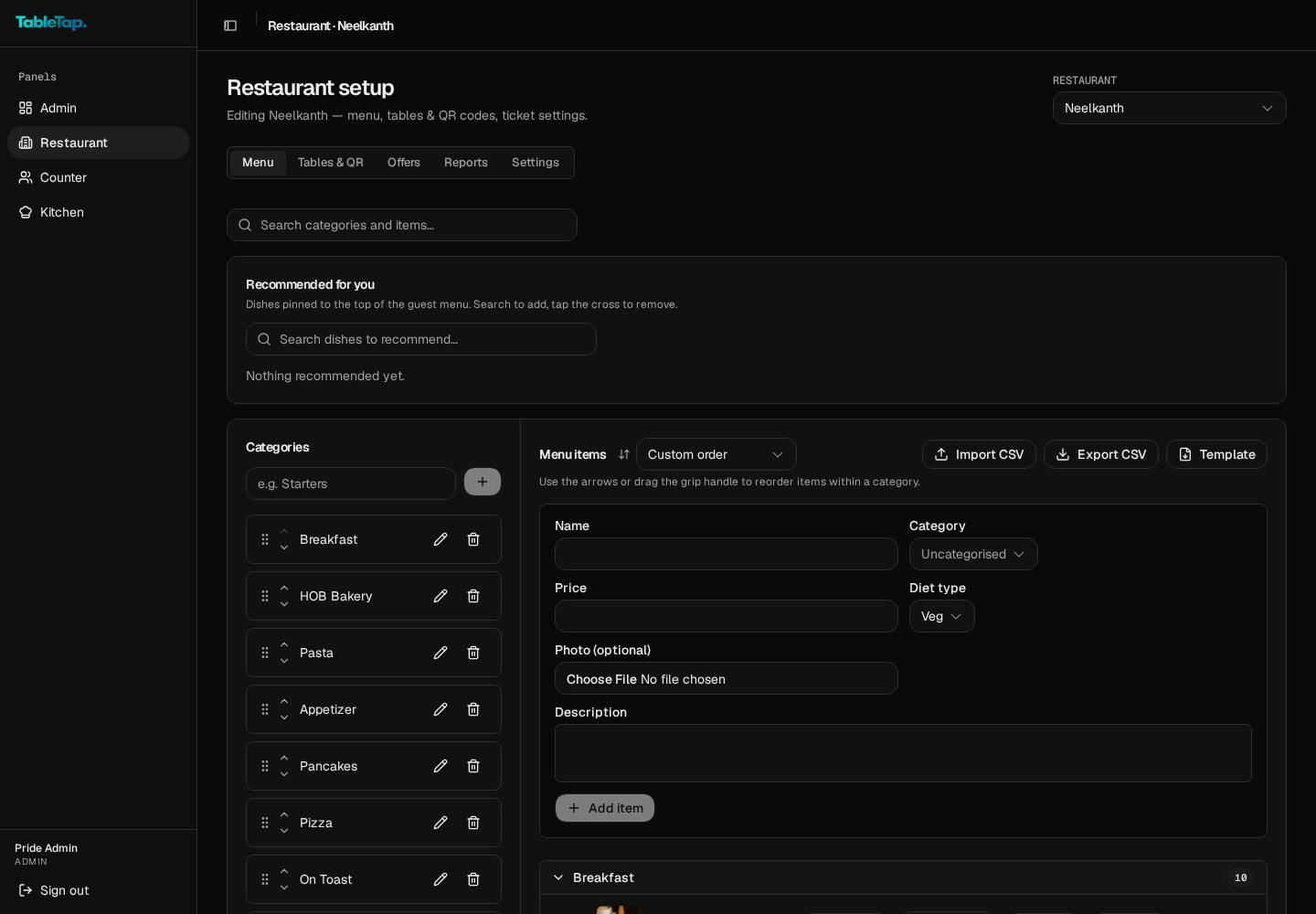
Your whole menu, organised.
Categories with drag-to-reorder, per-item photos, diet type, add-ons and one-click sold out. Import or export the entire menu as CSV.
03 — Tables & QR
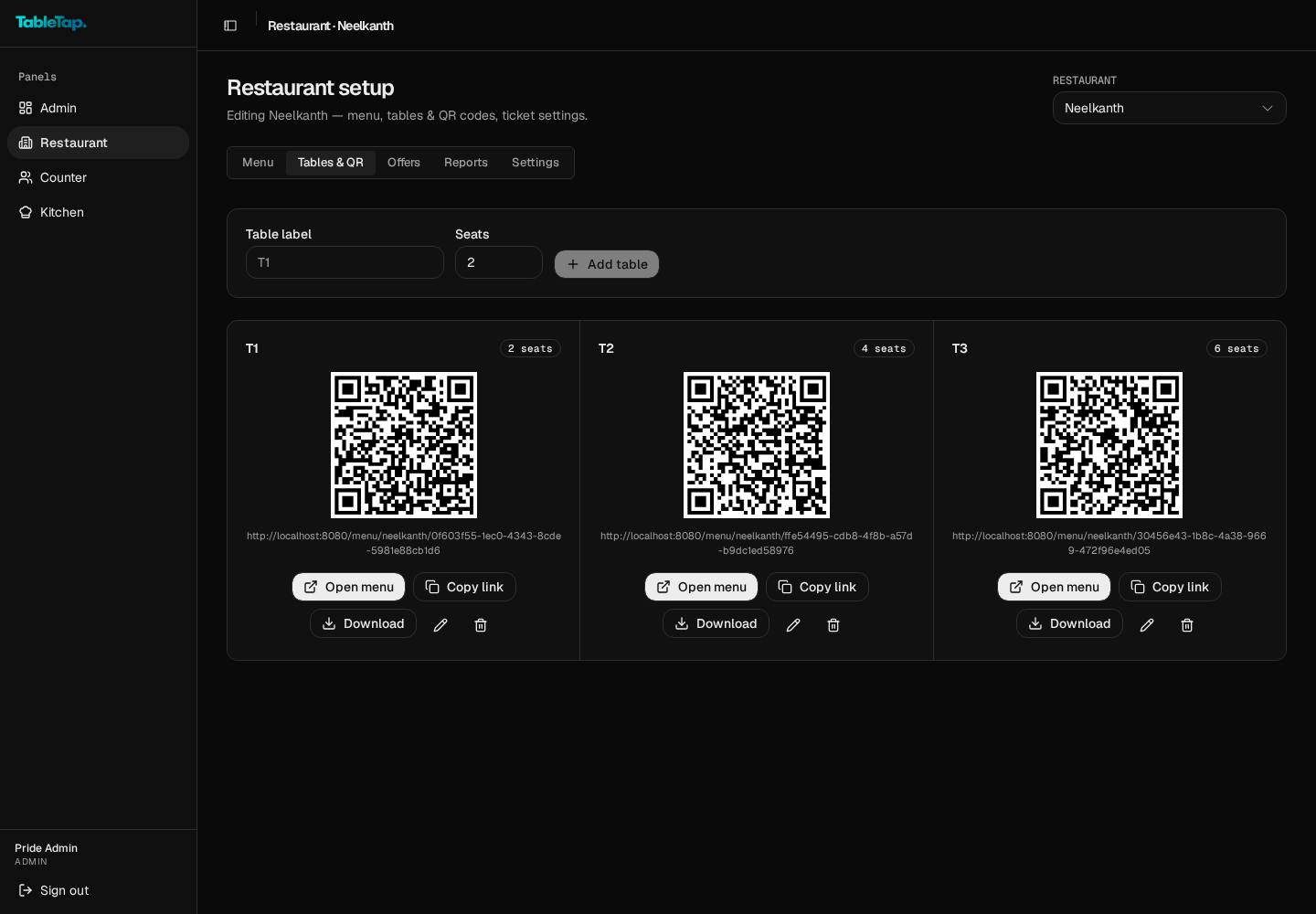
Every table, one QR away.
Generate a QR per table, open the guest menu without scanning, copy the link, or download print-ready codes for the floor.
03 — Process
Self-signup, with a
concierge on standby.
Sign up from the login page or ask us to onboard you. Either way, one point of contact, no self-serve settings to break.
01
Sign in & create your account
Head to /login and choose 'Don't have an account? Sign up' to create your restaurant login. Confirm your email — takes under two minutes.
02
Activation
We review and activate your restaurant, seed your menu and categories with you, and hand over counter and kitchen logins.
03
Soft launch
Your QR menu goes live at every table. Guests scan and order; the kitchen sees live tickets automatically. We watch the first week with you.
04
Steady state
Trial → monthly or yearly plan. Warning → grace → lock states run quietly. No surprise invoices.
05 — In practice
“It replaced our paper menus, our order pads, and the sticky-note stack next to the till. We still don't know what plan we're on, and that's exactly the point.”
— Floor manager, rooftop restaurant
06 — Pricing
One plan.
Everything included.
Simple pricing built for restaurants. Toggle between monthly and annual — save two months when you commit yearly.
TableTap
Restaurant Plan
Everything your restaurant needs to manage orders, staff, and tables — one simple plan.
Billed annually· Save $400
- Unlimited QR dine-in orders
- Branded public menu page
- Live counter & billing management
- Kitchen, counter & owner dashboards
- Multi-location support
- Menu, table & holiday management
- Automated email notifications
- International phone number support
- Email support
No setup fees. Cancel anytime. Prices in Indian Rupees for restaurants based in India, USD for restaurants outside India.
07 — FAQ
The questions we
hear the most.
Do guests need an account?
No. Guests scan the QR code at their table and start ordering immediately — no account or app needed.
Can I sign up my restaurant directly?
Yes. Create an account at /signup, confirm your email, and your restaurant waits on a short activation step. Prefer concierge onboarding? Email or WhatsApp us.
Do you send order confirmations?
Yes. Every order shows a live status to the guest, and the kitchen sees the same ticket the moment it lands.
What happens if a plan expires?
You get a soft warning strip first, a grace period next, and only then a locked owner view. The guest-facing menu stays polite either way.
Who staffs the day?
Two roles: counter (order settlement, live tickets) and restaurant (owner view, history, billing state). Platform admin is handled by the TableTap team.
Which businesses is TableTap for?
Premium restaurants — fine dining rooms, casual dining spots, cafes and bars — any table-service business that wants faster, quieter ordering.
07 — Still on the fence?
Talk to TableTap.